Resources and loans · 4 min read
Renting and lending equipment at the campsite: every bike, every kayak and every deposit in its place
Published
Many campsites have equipment for guests: bikes, kayaks, cool boxes, a barbecue, board games for rainy afternoons. And it is almost always managed the same way: a notebook or a sheet of paper on the counter. It works until someone asks “is there a bike left for tomorrow?”, until a kayak doesn’t come back on time, or until you have to remember how much deposit the guest on pitch 23 left.
With doit.camp, the campsite’s equipment has its units, its planner and its booking page, at the front desk and on the phone.
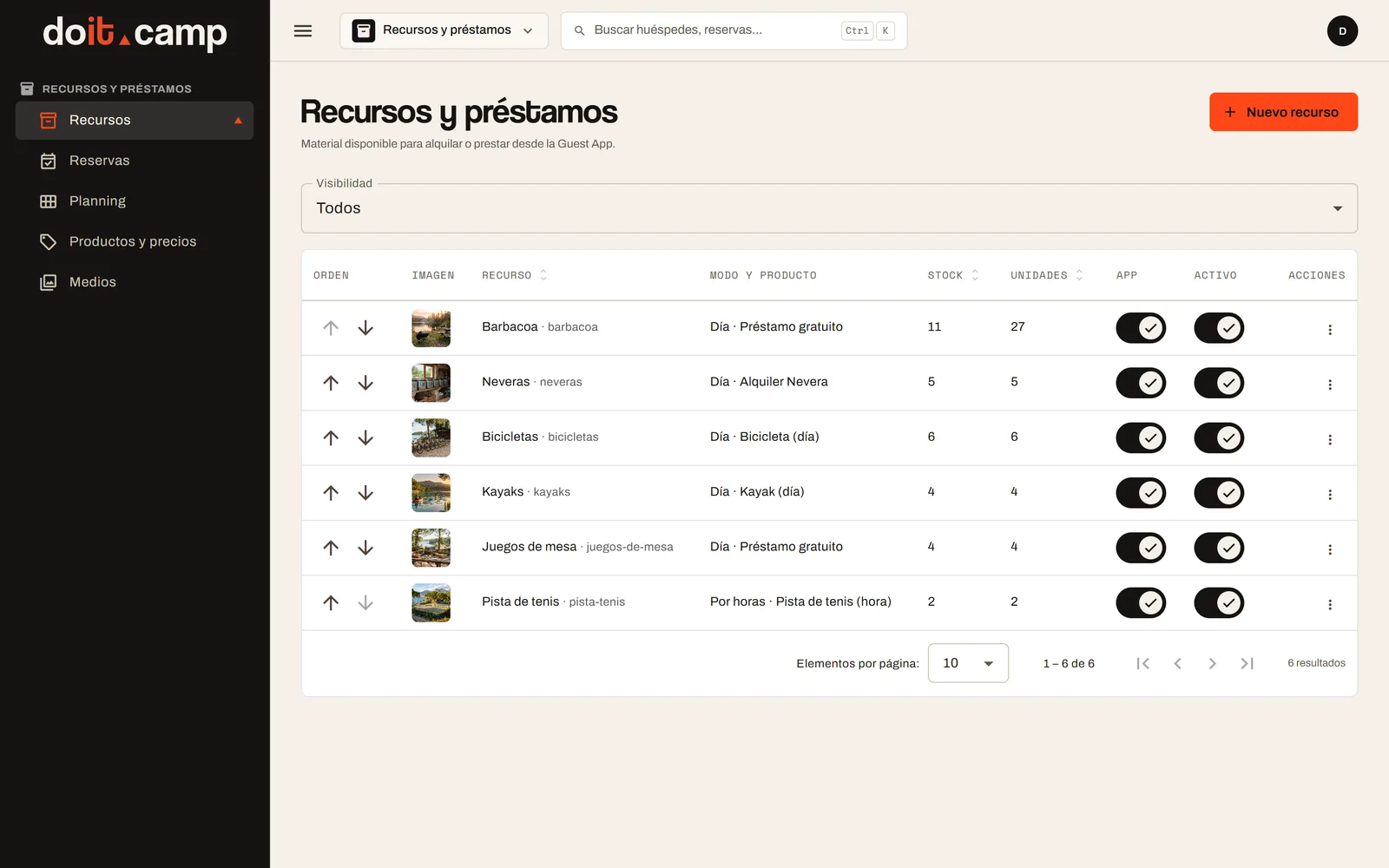
Every resource, with its units
The campsite adds each resource and decides how it works: “Free loan” or “Paid rental”, charged per day, per night or per hour. It sets the collection and return time slots, whether there is a deposit and where it is collected. Courts and other resources booked by the hour also have their opening hours.
Each resource has numbered units: bike 1, bike 2, bike 3… They can be permanent or seasonal only, and a unit can be blocked when it is in the workshop. That way, what is on offer is what is really there.
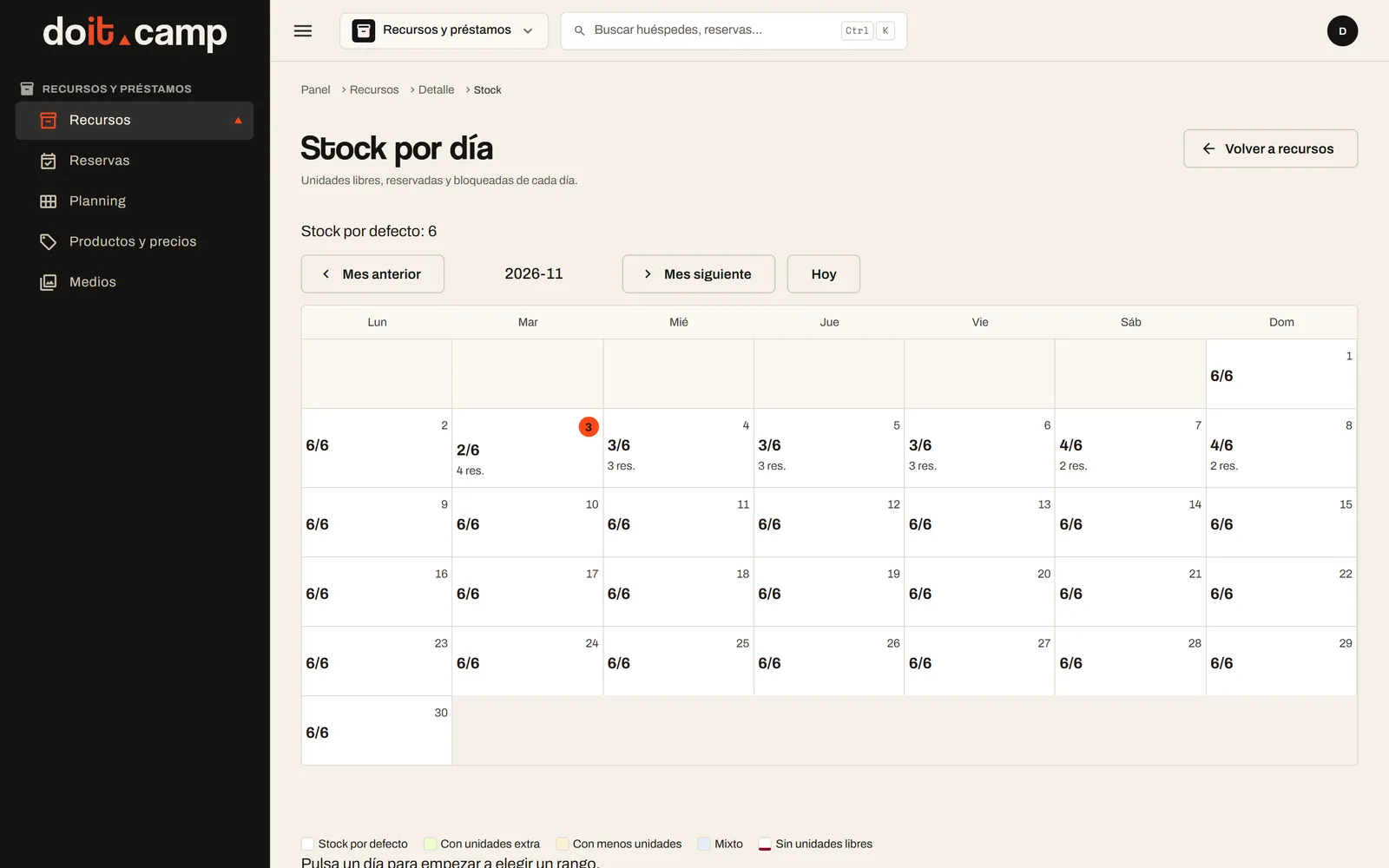
The daily stock of each resource shows, day by day, how many units are free, how many are booked and how many are blocked.
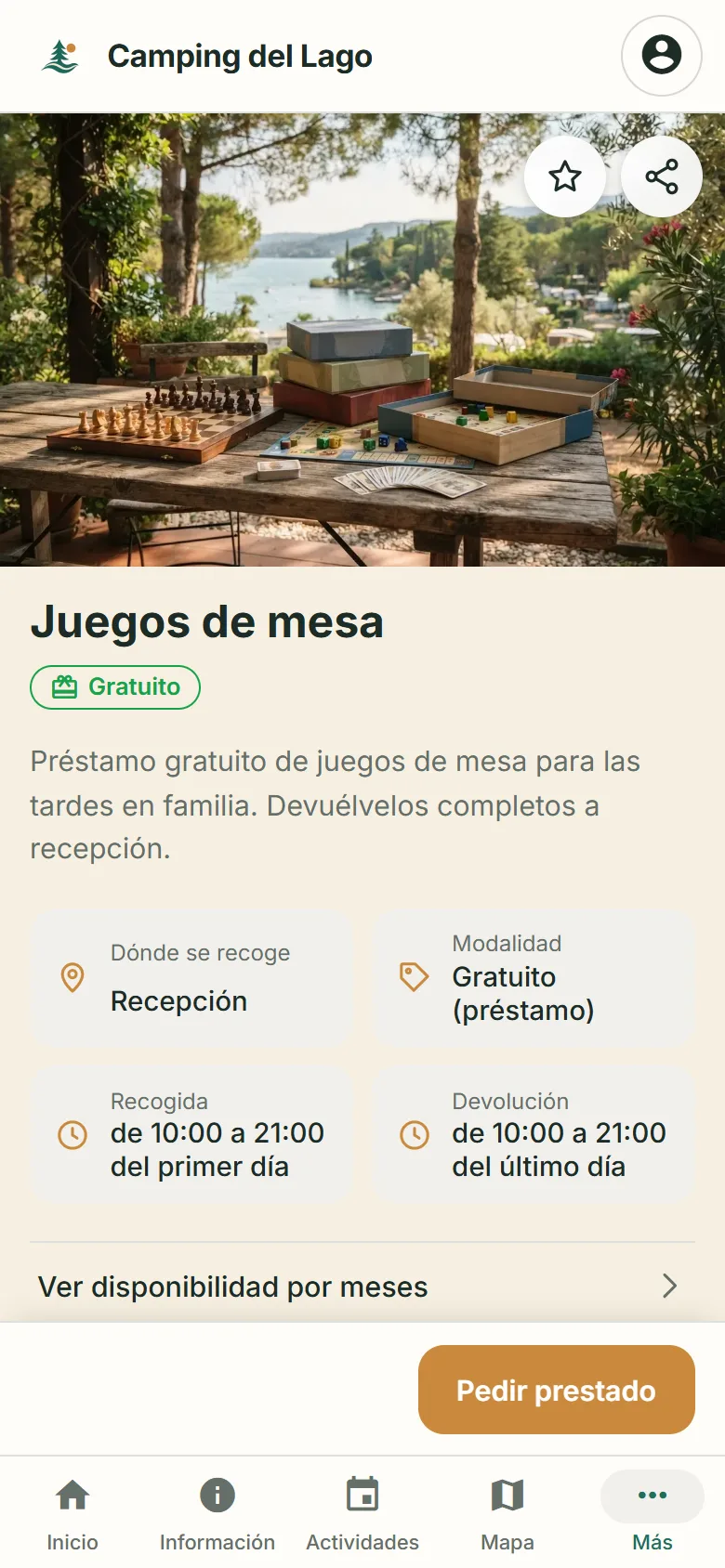
Guests see it without going through the front desk
If the campsite uses the Guest App, guests get a catalogue of resources showing what is available for their stay: how many units are left, or whether it is sold out on their dates. On the page of each resource they see where to collect it, the time slots, the deposit, which is paid at the counter on collection, and the availability by month.
To book, they log in and choose; the button says “Book” if it is paid or “Borrow” if it is free, and the booking is confirmed as soon as it is sent. They then find it under “My rentals”, with upcoming and in-progress bookings kept apart from past ones. If it is free or not yet paid, they can cancel it from the app until collection starts.
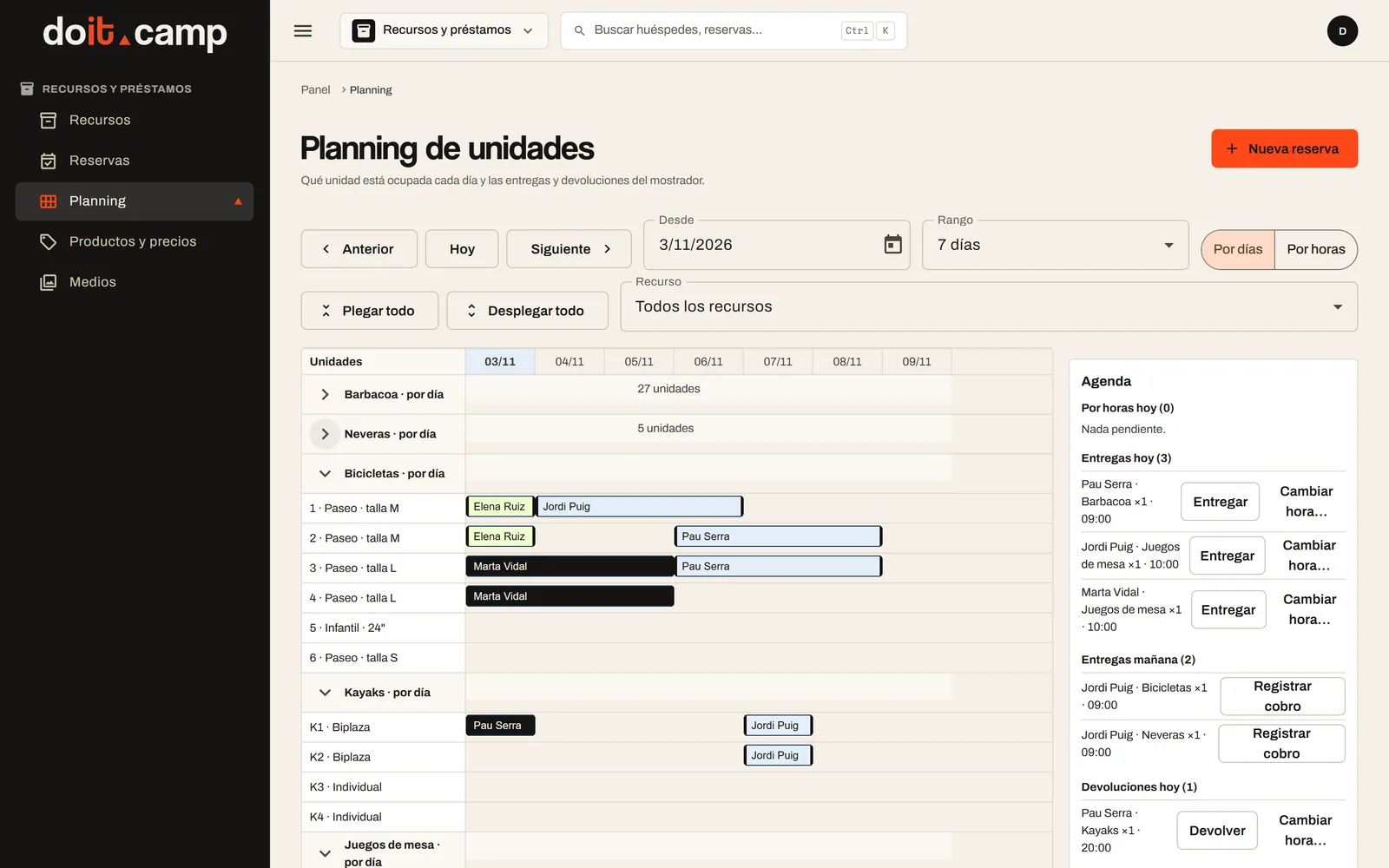
Every unit, day by day
In the back office, the unit planner shows which bike or kayak is taken each day, by day or by hour. A booking uses the same unit from start to finish, and a unit is never assigned twice on the same dates.
Alongside the planner, the front desk agenda gathers today’s and tomorrow’s handovers, today’s returns and overdue bookings. It answers “what is still to come back?” without going through the notebook.
When someone comes to the front desk to ask for something, the team creates a counter booking: it is confirmed immediately and free units are assigned.
Handover, return and deposit, without paperwork
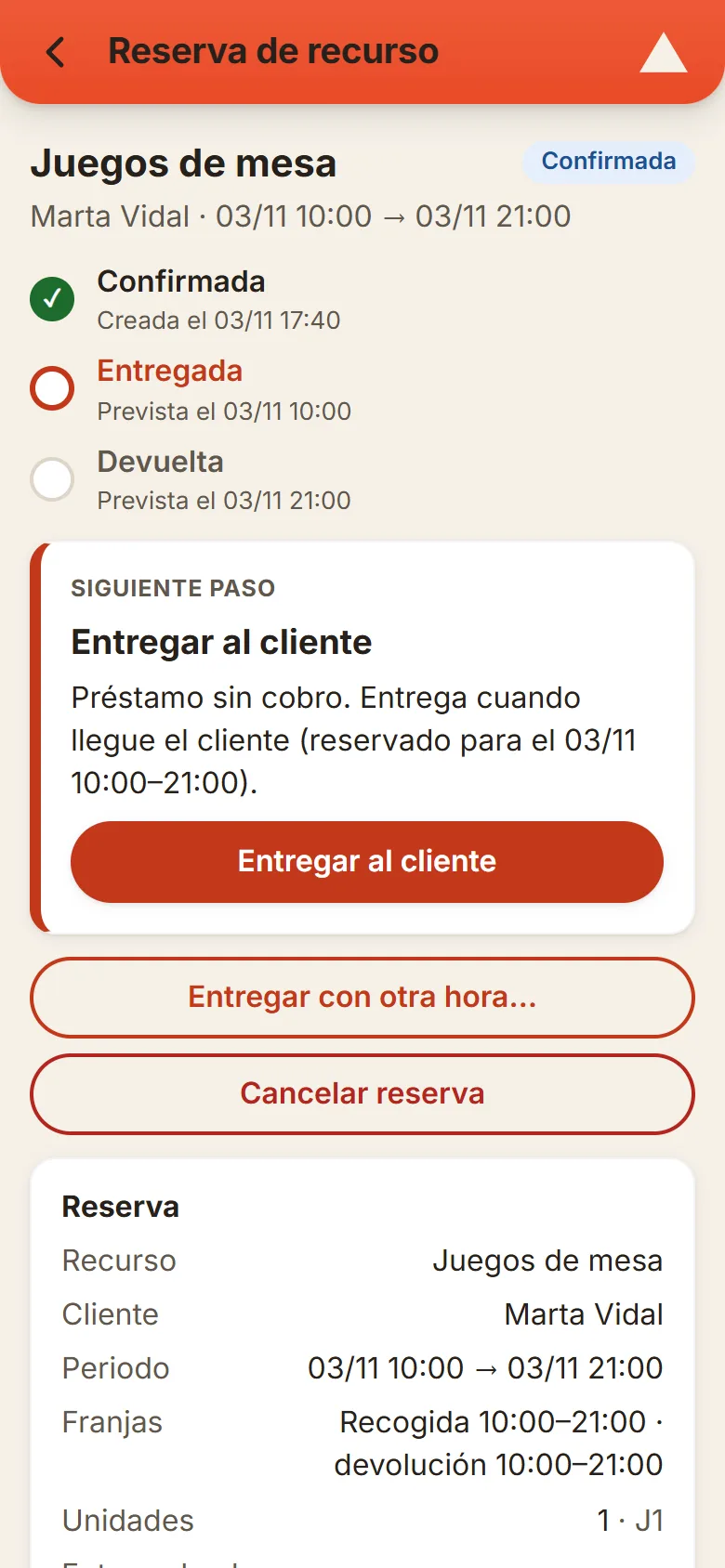
Each booking has its own page with the next step in view: hand over to the customer, record the return or settle the deposit. If anything is still unpaid, nothing is handed over until it is collected.
The deposit is collected at the counter when the guest picks up the equipment. On return, reception decides: refund all of it, refund part of it, or keep it and close. It is noted on the booking, not on a sticky note.
Equipment that is not returned, marked as non-returnable, doesn’t need that step: its booking moves by itself to “In progress” and then to “Finished”.
Also from the team’s phones
With the Staff App and the resources permission, whoever staffs the counter or the bike hut sees the week’s bookings day by day, filters them and finds the overdue ones. On each booking they have the same next step: record a payment, hand over with or without a deposit, record the return, settle the deposit, mark a no-show or cancel. New bookings and the setup of resources stay in the back office.
From setup to return
The campsite adds the resource; it is booked at the front desk or, if the campsite uses the Guest App, from the guest’s phone; it is handed over with its deposit at the counter; and the return is recorded, settling the deposit.
If at your campsite the equipment still lives in a notebook, do you know right now what is still to come back?
Frequently asked questions
What kind of equipment can be managed?
Any physical resource that is handed out and returned: bikes, kayaks, cool boxes, barbecues or board games. Also resources booked by the hour, such as a tennis court, with its opening hours.
Can some equipment be lent for free and other items rented for a fee?
Yes. Each resource is either a “Free loan” or a “Paid rental”. The paid kind is charged per day, per night or per hour, depending on how the campsite sets it up.
How do you avoid lending the same bike twice?
Each resource has numbered units and a booking uses the same unit for its whole period. A unit that is taken or blocked, for example a bike in the workshop, is not assigned again on those dates.
How does the deposit work?
If the resource has a deposit, it is collected at the front desk when the guest picks it up. When the return is recorded, reception decides whether to refund all of it, refund part of it, or keep it, and closes the booking.
Can guests book from their phone?
If the campsite uses the Guest App, yes. Guests see what is available for their stay, the page of each resource with where to collect it and its time slots, and log in to book it or borrow it. They check their bookings under “My rentals”.
Can the team manage handovers from their phones?
Yes, with the Staff App and the resources permission. The team sees the week’s bookings, the overdue ones and, on each booking, the next step: hand over, record the return or settle the deposit. New bookings and setup are done in the back office or, for guests, in the Guest App.
Shall we talk about your campsite?
Tell us about your campsite and we will show you the Guest App.
