Campsiteactivities,on their phone.
The programme as a list or calendar, sign-ups with their places and the preparation of each session, all in one place.
▾ keep scrollingWhat’s on today?
Is there still room?
When the programme is on a poster and places are taken down by hand, the front desk answers the same questions again and again.
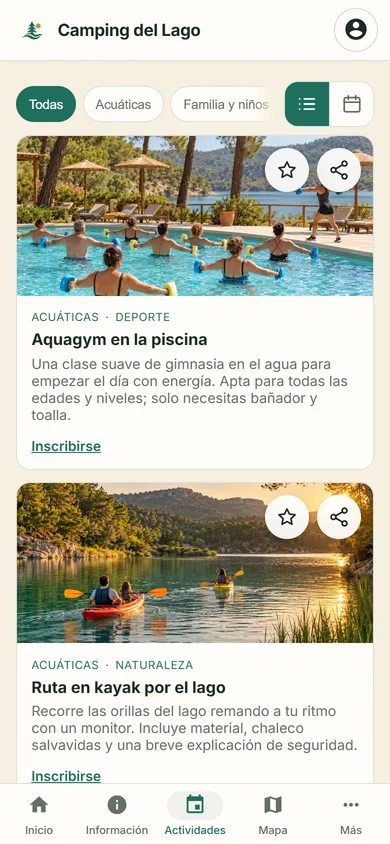
List or calendar
The whole week,on their phone.
Guests browse activities as a list or calendar, filter by category and see how many places are left in each session.
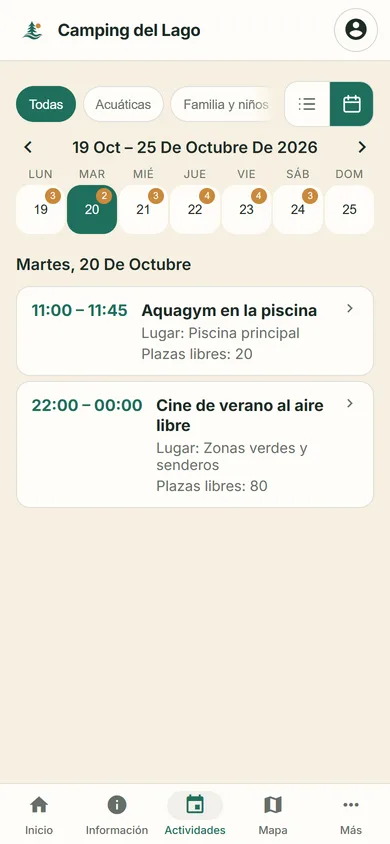
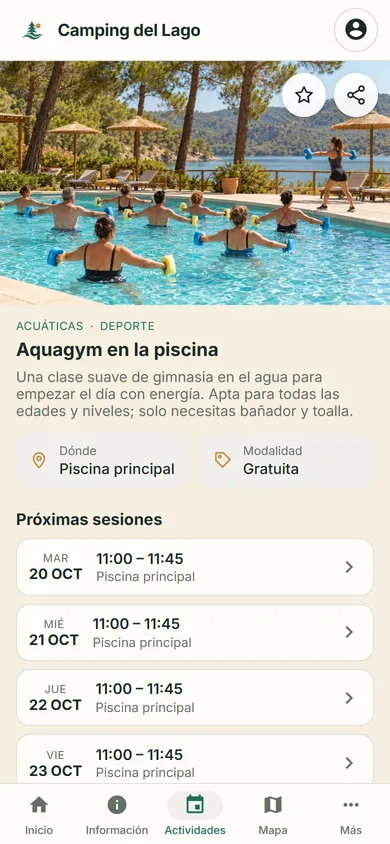
Browse the programme, as a list or calendar.
Pick a session, with its date and available places.
Log in to complete the sign-up.
Confirm the places. They then appear under “My activities”.
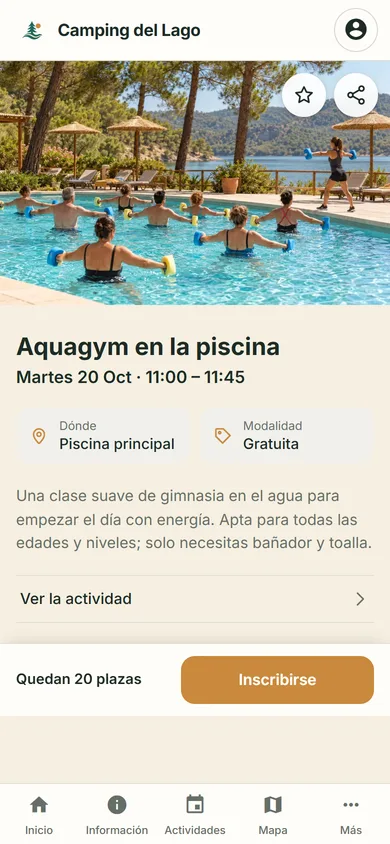
Viewing an activity does not book a place: a sign-up is always confirmed.
For your team
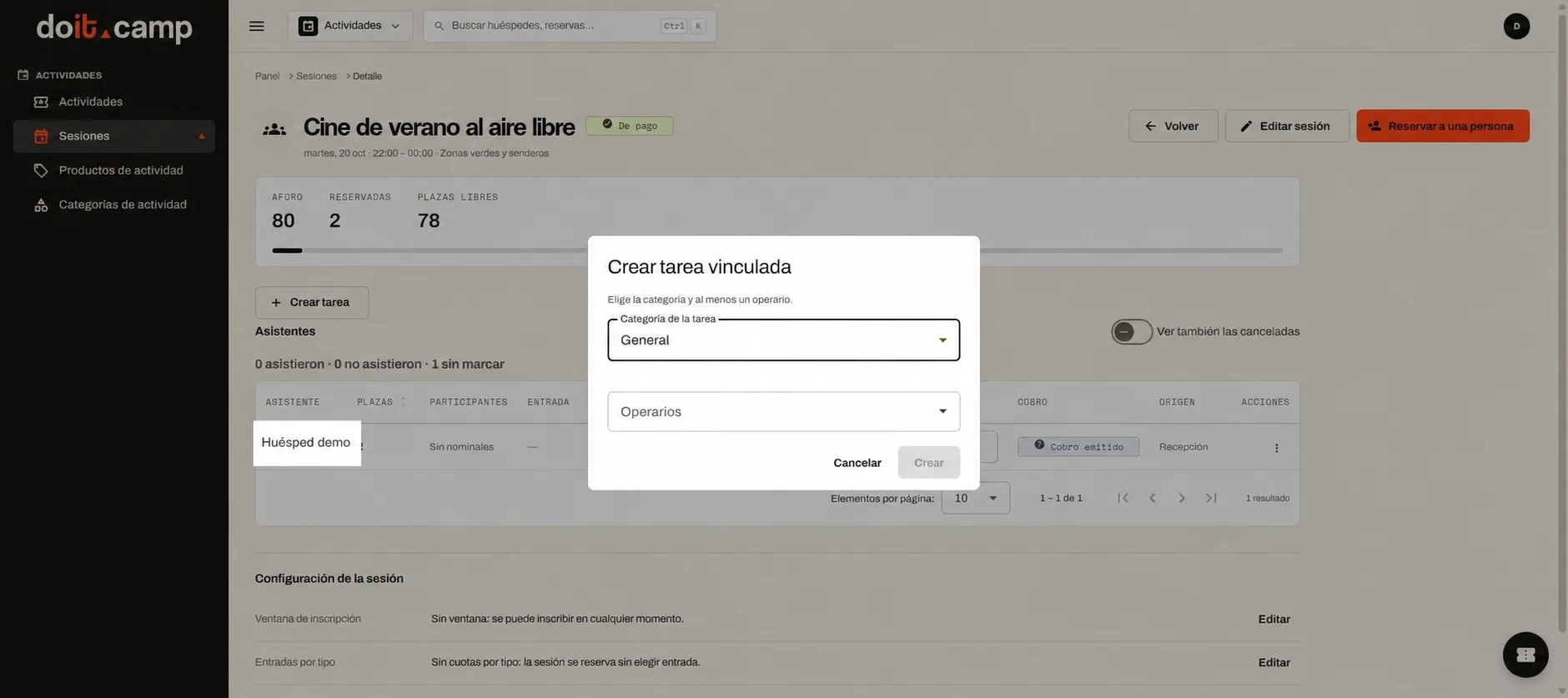
Prepare everysession.
From the dashboard, the team checks capacity, booked and free places, records how many people attended and links preparation tasks: getting the space ready, the equipment…
Categories and filters
“Water”, “Family and kids”, “Nature”… Guests filter the programme by what interests them.
Free or paid
Each activity shows whether it is free or paid. You can mix plans open to everyone with paid activities.
Capacity per session
Each session has its own capacity, and guests see how many places are left before signing up.
Sign-up window
Sign-ups open at any time, or only during the period you set.
Favourites and sharing
Guests save a session to their favourites or share it with the people they travel with.
Where do guests see the activities?
In the Guest App, from the phone or computer browser, as a list or calendar. There is nothing to download.
Do guests need to log in to book a place?
Yes. To complete the sign-up, the guest logs in, chooses how many places they need and confirms the booking.
Where do guests see their bookings?
Under “My activities”, in their account, with their upcoming bookings and participations.
Can there be paid activities?
Yes. Each activity shows whether it is free or paid, and you can combine both in the same programme.
What does the team see for each session?
Capacity, booked places and free places. In the detail view they record how many people from each booking attended.
Can tasks be linked to a session?
Yes. The team creates and checks the preparation tasks for each session, according to their account’s permissions.
Shall we look at your programme?
Tell us which activities your campsite runs and we’ll show you how they would look.
You can send your enquiry without subscribing to the newsletter.
How we'll use your data
We'll store your request in our CRM, Odoo. If you ask us to contact you, we'll use your details to reply and arrange the next steps; this won't add you to a newsletter. You'll only receive updates if you explicitly request that subscription. You can unsubscribe through the link in our emails or by contacting us on WhatsApp at +34 634 15 59 60.
Read the full privacy policy