Every cornerof the campsite,on a map.
Your plan, interactive. On your website and in the Guest App, with the zones, photos and information you choose.
▾ keep scrollingWhere is the pool?
What's near my pitch?
Every summer, the same questions at the same desk. What if the map answered them for you?
Demo with a fictional campsite
Upload your plan. It's an image: the one you already have will do.
Create the zones: Campsite › Pool area › Pool. Each one with photo, text, icon and category.
Place them on the plan: points and areas.
Publish it. One line on your website and, if you use the Guest App, also on the guest's phone.
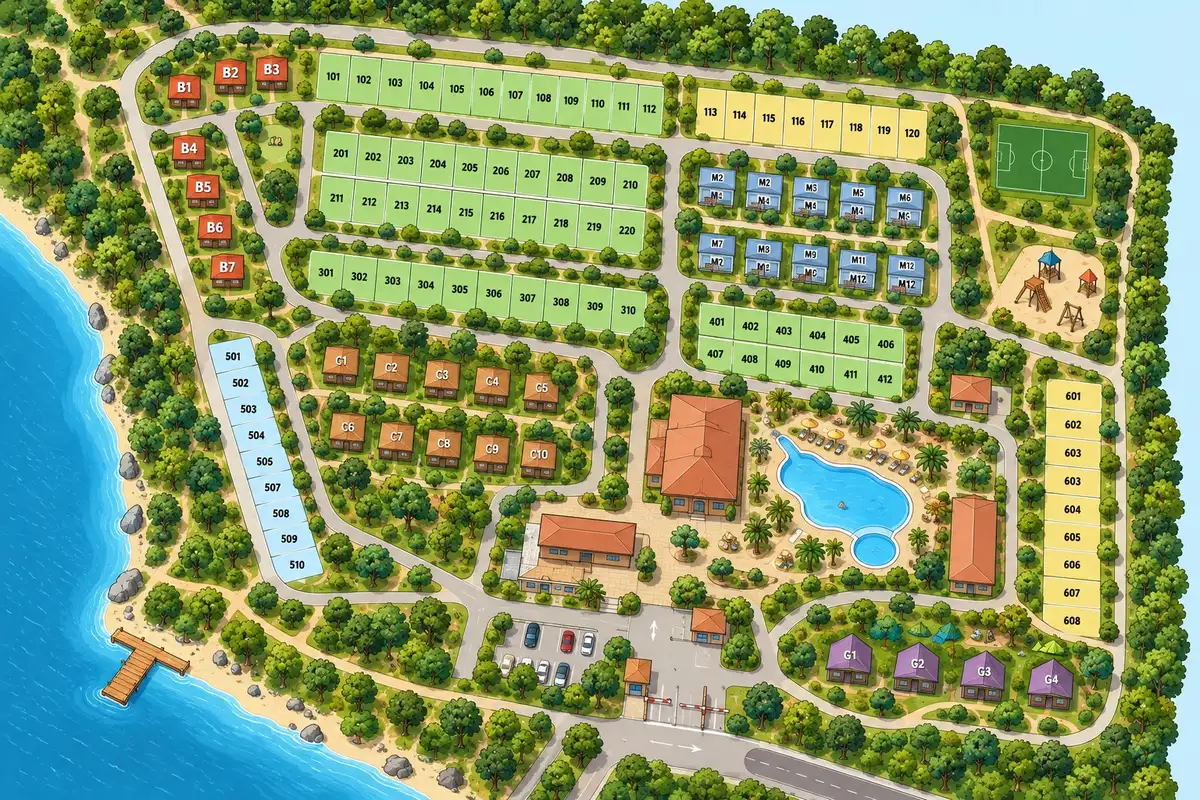
One map, two places
Edit it once.It changes in both.
It's the same map. You edit it once; it changes in both places.
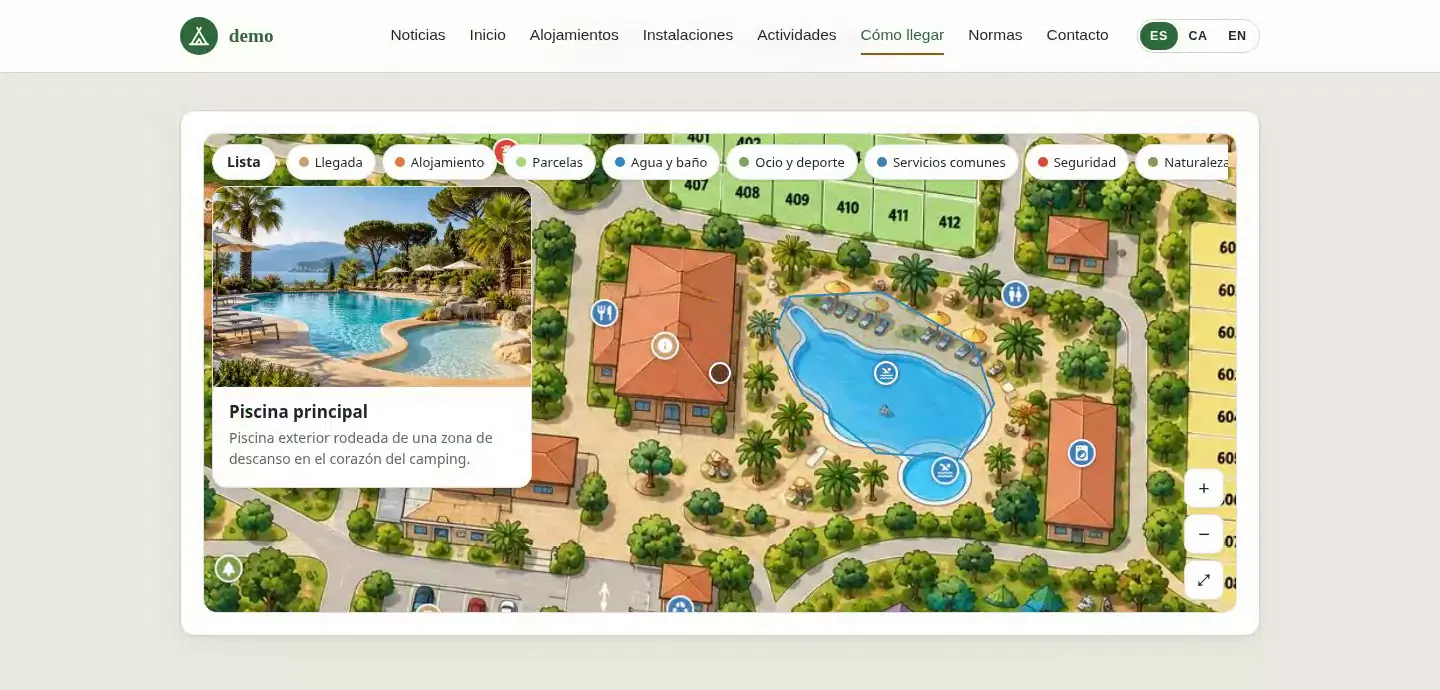
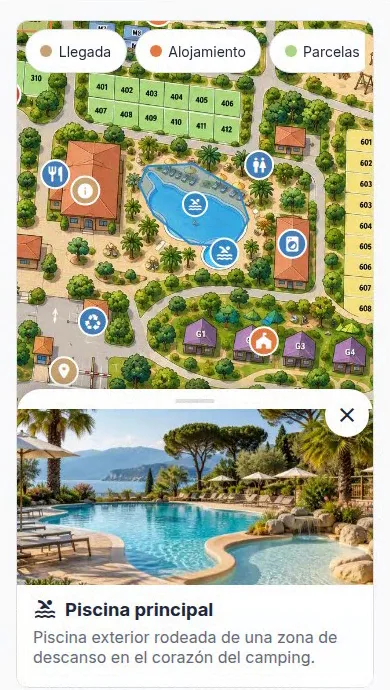
Screenshots of a fictional demo campsite.
Category filters
“Water and toilets”, “Services”, “Accommodation”… You choose which categories appear as filters.
Cards with photo and description
Tapping an item opens its card. Title and description are translated.
Icons and colours
There are 45 icons to choose from, and each category has its own colour.
Several maps
One general map and others by area, for example “Pool areas”.
Basic or interactive
Just the image with zoom, or with zones, filters and cards.
The same zones work inside too: your team can link a task to “Showers” or “Pool” without describing the place again.
Do I need the Guest App to use the map?
No. It works on your website with the widget. If you use the Guest App, it also appears on the guest's phone.
What format should the plan be in?
An image. The plan you already show at reception will do.
Who edits it?
You, from the dashboard. No coding.
Does it work well on mobile?
Yes. It works with tap and pinch, and has a “List” button for those who prefer to read.
And languages?
The title and description of each zone are translated. Guests see it in their own language.
Does it have GPS?
It isn't a GPS map: it's your plan, the one your guest understands.
Shall we look at your plan?
Send us your campsite plan and we'll show you how it would look.
You can send your enquiry without subscribing to the newsletter.
How we'll use your data
We'll store your request in our CRM, Odoo. If you ask us to contact you, we'll use your details to reply and arrange the next steps; this won't add you to a newsletter. You'll only receive updates if you explicitly request that subscription. You can unsubscribe through the link in our emails or by contacting us on WhatsApp at +34 634 15 59 60.
Read the full privacy policy