Their day, in one list.
In the Staff App, each person sees what they have today, this week or on a given date, with status, priority, time, location and tags. It installs from the browser, no app store needed.
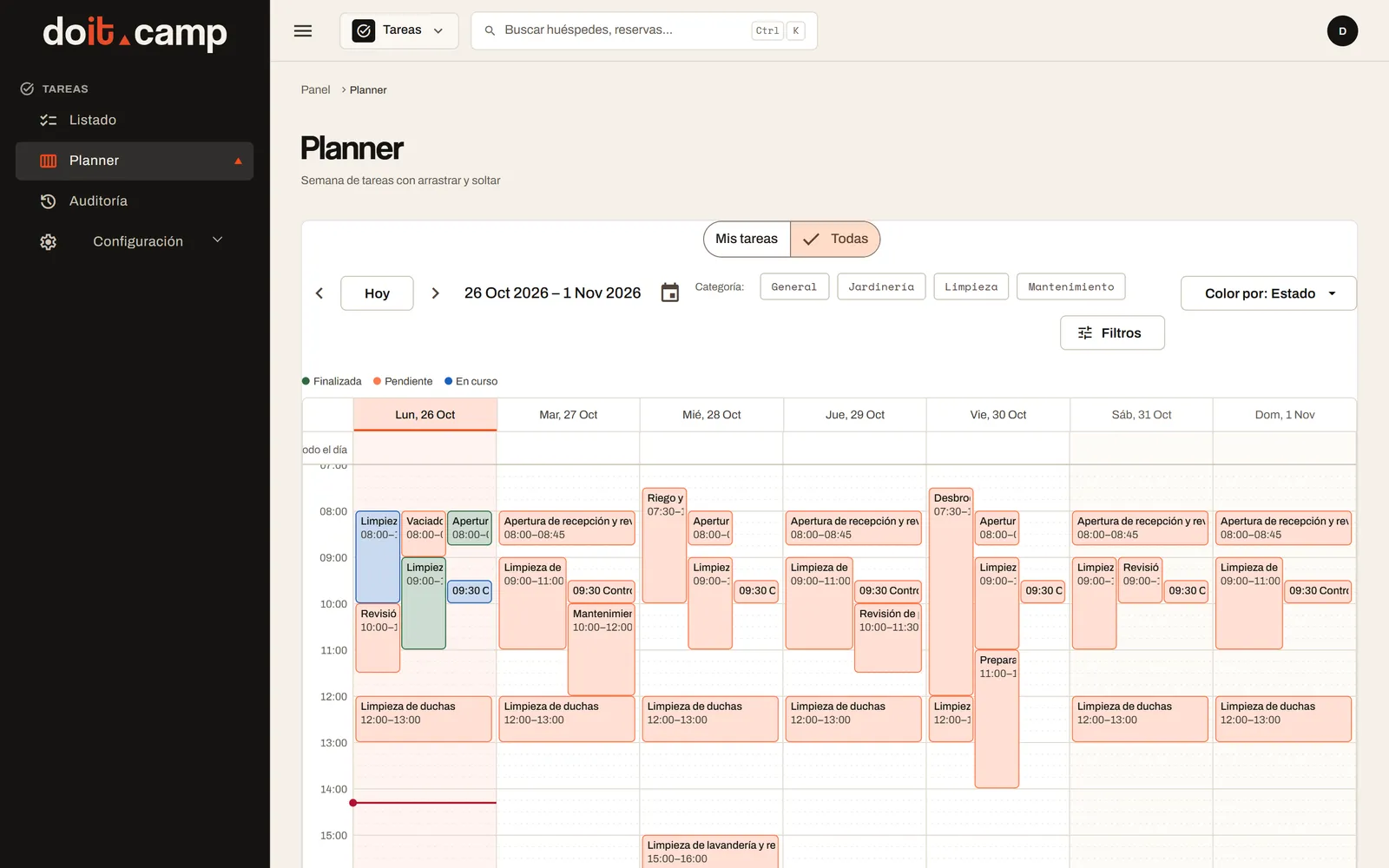
Management plans in the back office. The team sees its tasks on the phone, updates their status and records what was done. All on the same task.
How your team sees it on the phone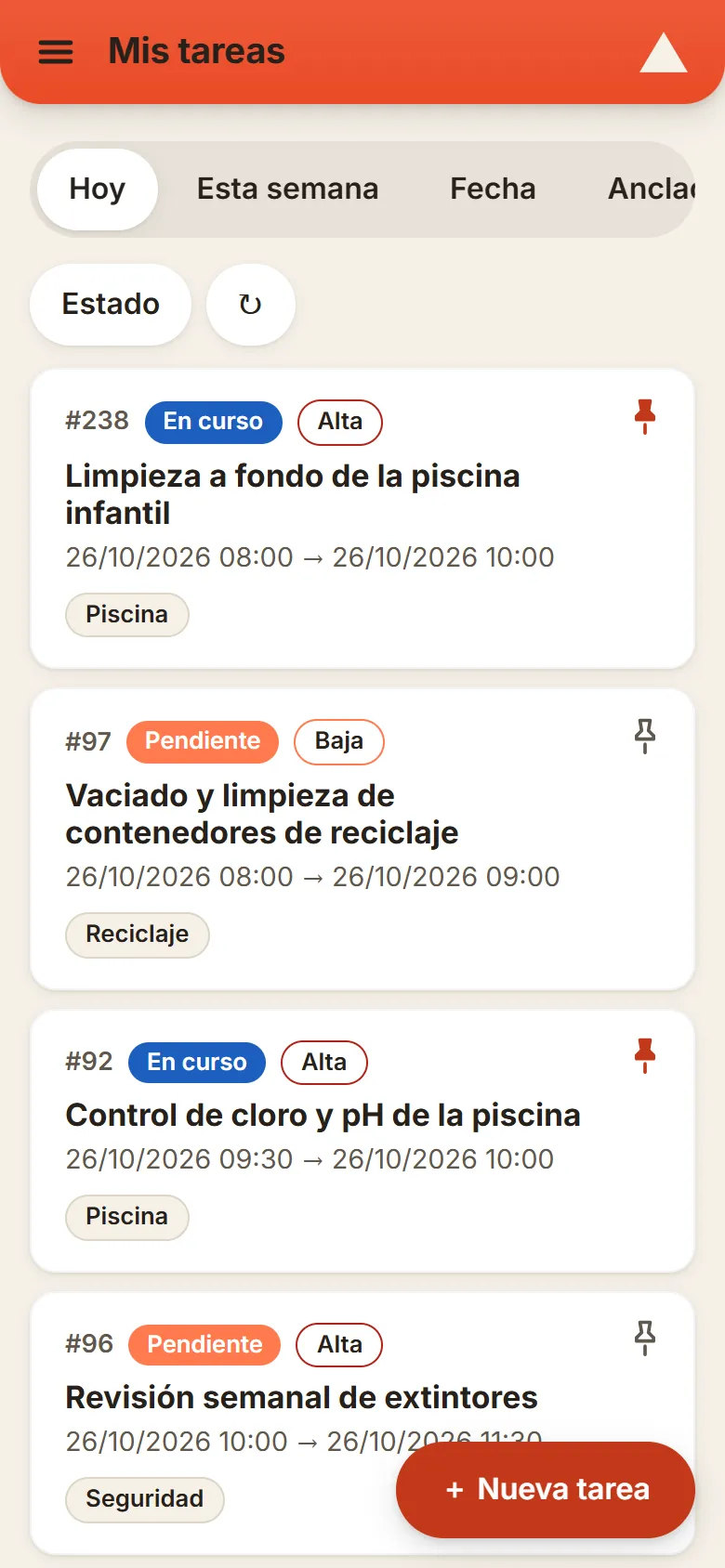
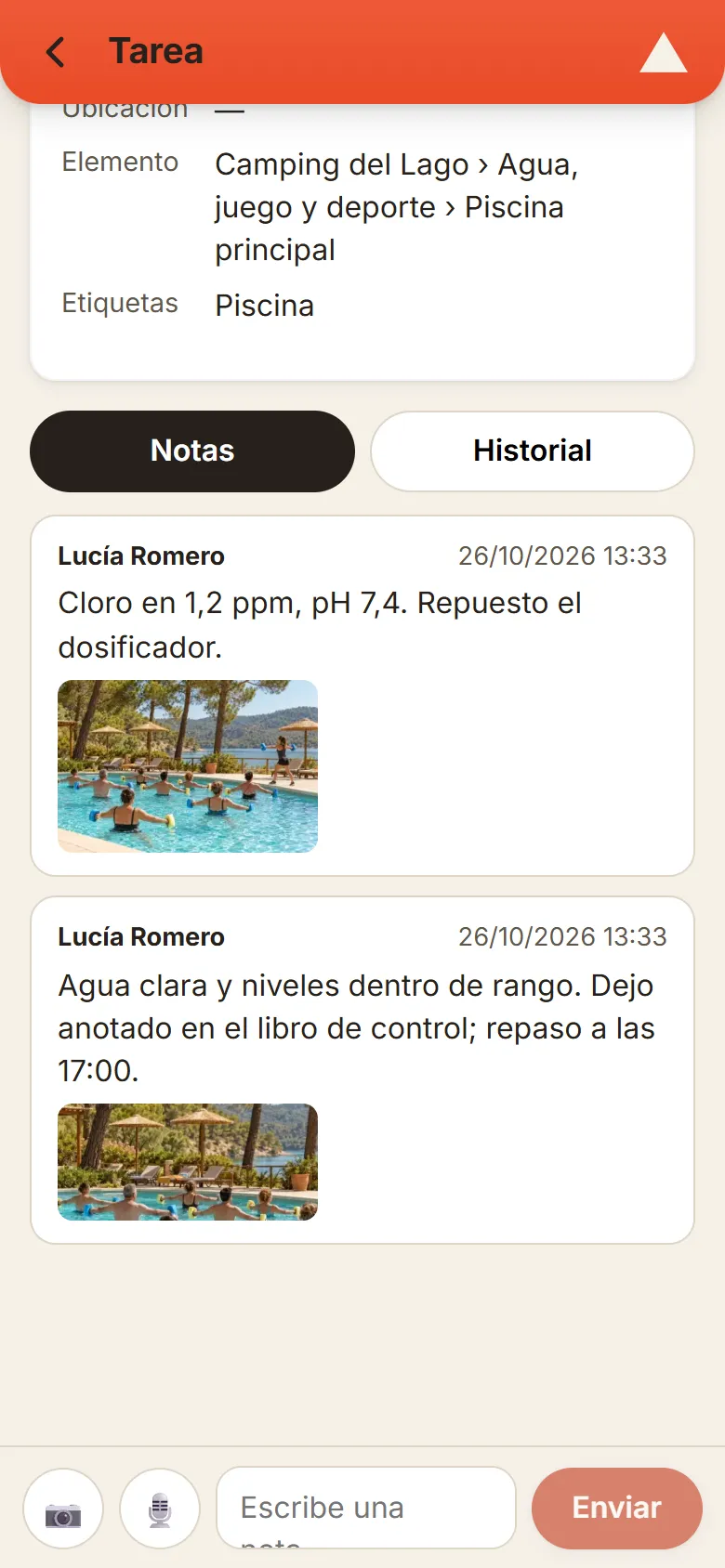
Spanish demo screenshots with a fictional campsite. This page does not create or change tasks.
In the Staff App, each person sees what they have today, this week or on a given date, with status, priority, time, location and tags. It installs from the browser, no app store needed.
Inside each task, the team leaves notes with text, photos and audio. The history keeps every change of status and assignment.
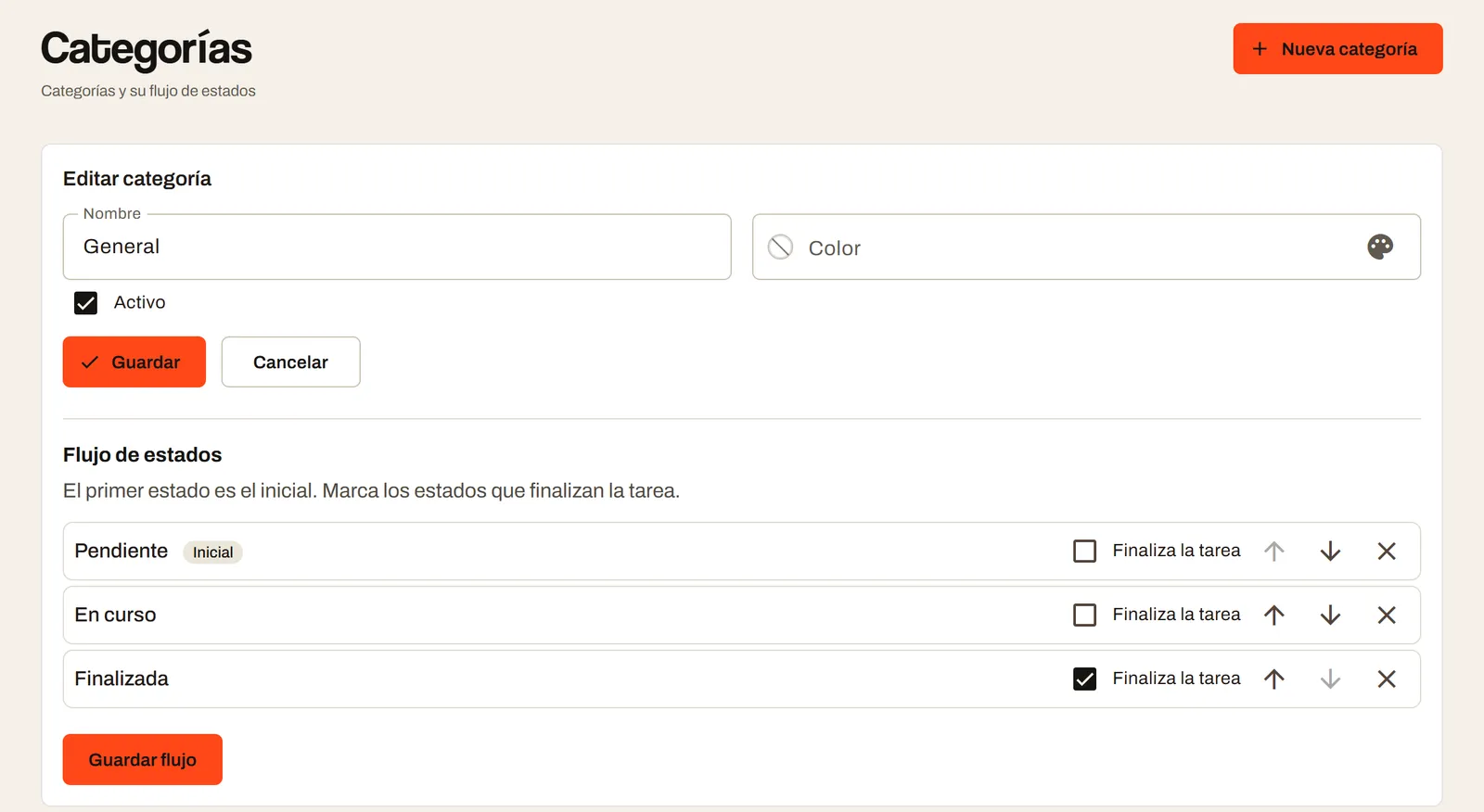
The campsite defines its own statuses, categories, priorities and tags, and decides who can create, assign or view tasks. The audit log records every change.
It is the campsite team’s app. Each person sees their tasks for today, this week or a given date, updates their status and leaves notes with photos or audio. It installs from the browser, with no app store.
Yes. The campsite defines its statuses, categories, priorities and tags, and each category can have its own status flow, with a starting status and the one that completes the task.
It depends on the permissions the campsite gives each person: create, assign, view all tasks or only some colleagues’ tasks, change dates or manage. The audit log records every change.
Let’s talk about what your team needs and which solution fits.
You can send your enquiry without subscribing to the newsletter.
We'll store your request in our CRM, Odoo. If you ask us to contact you, we'll use your details to reply and arrange the next steps; this won't add you to a newsletter. You'll only receive updates if you explicitly request that subscription. You can unsubscribe through the link in our emails or by contacting us on WhatsApp at +34 634 15 59 60.
Read the full privacy policy Let's talk