Activities · 3 min read
Campsite activities on the phone: how guests see them and how they sign up
Published
A campsite’s activity programme usually lives on a poster next to reception and on a paper list where places are written down. With doit.camp, that programme is on the guest’s phone: they check it whenever they like, see whether there is room and sign up for the session they want themselves.
This post does not explain how to set it up. It covers the problem it solves and how guests experience it during their stay.
What problem does it solve?
Activities are one of the things guests ask about most at a campsite. And almost all the questions are the same:
- “What’s on today?” The poster is at reception, not where the guest is. To find out, they have to walk over or ask.
- “Is there still room?” If places are written down by hand, only whoever holds the list knows. Every question means a trip to the desk or a phone call.
- A programme that changes. A session moves because of the weather, or a new one is added. The printed poster is no longer accurate, and whoever read it in the morning never finds out.
- Paid activities. When a session has a cost, guests want to know before signing up, and the campsite needs to know which bookings have one.
- An entertainment team working blind. Without a reliable list, they don’t know how many people will come or what to prepare.
With the programme on the phone, the answers are wherever the guest is, and reception stops repeating them over and over.
How do guests use it?
They open the Guest App in their phone’s browser. Nothing to install. From there:
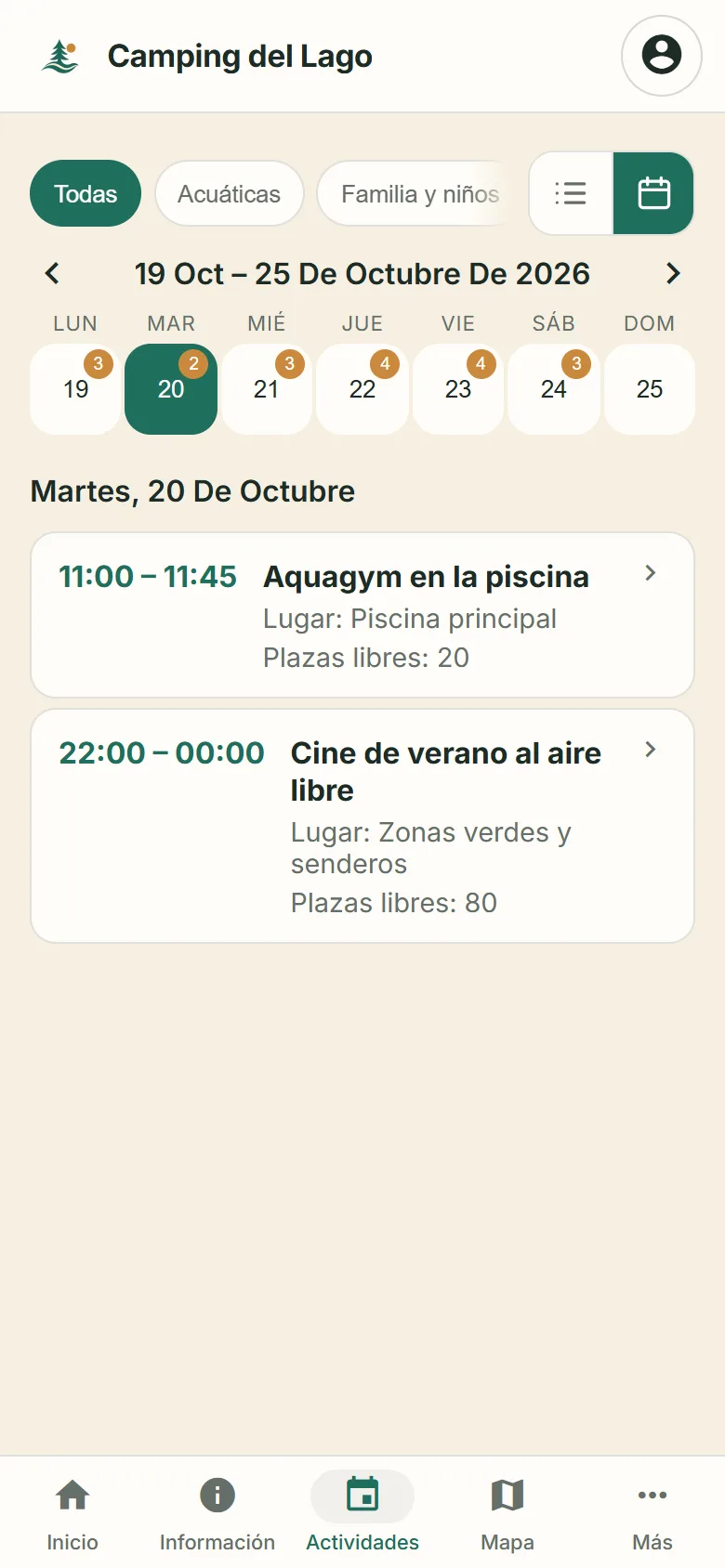
- They browse the programme as a list or a calendar, with every session of the week.
- They filter by what interests them: water, family and kids, nature…
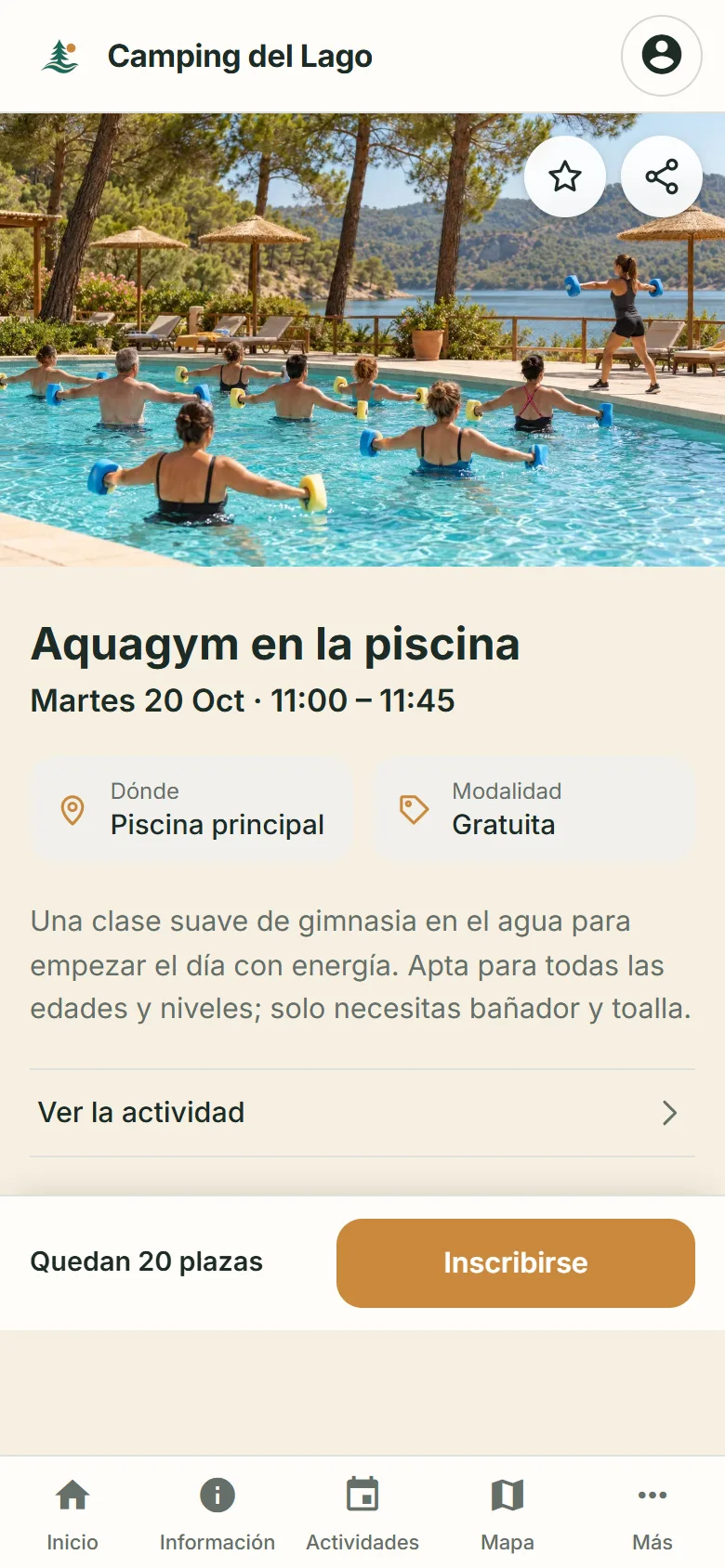
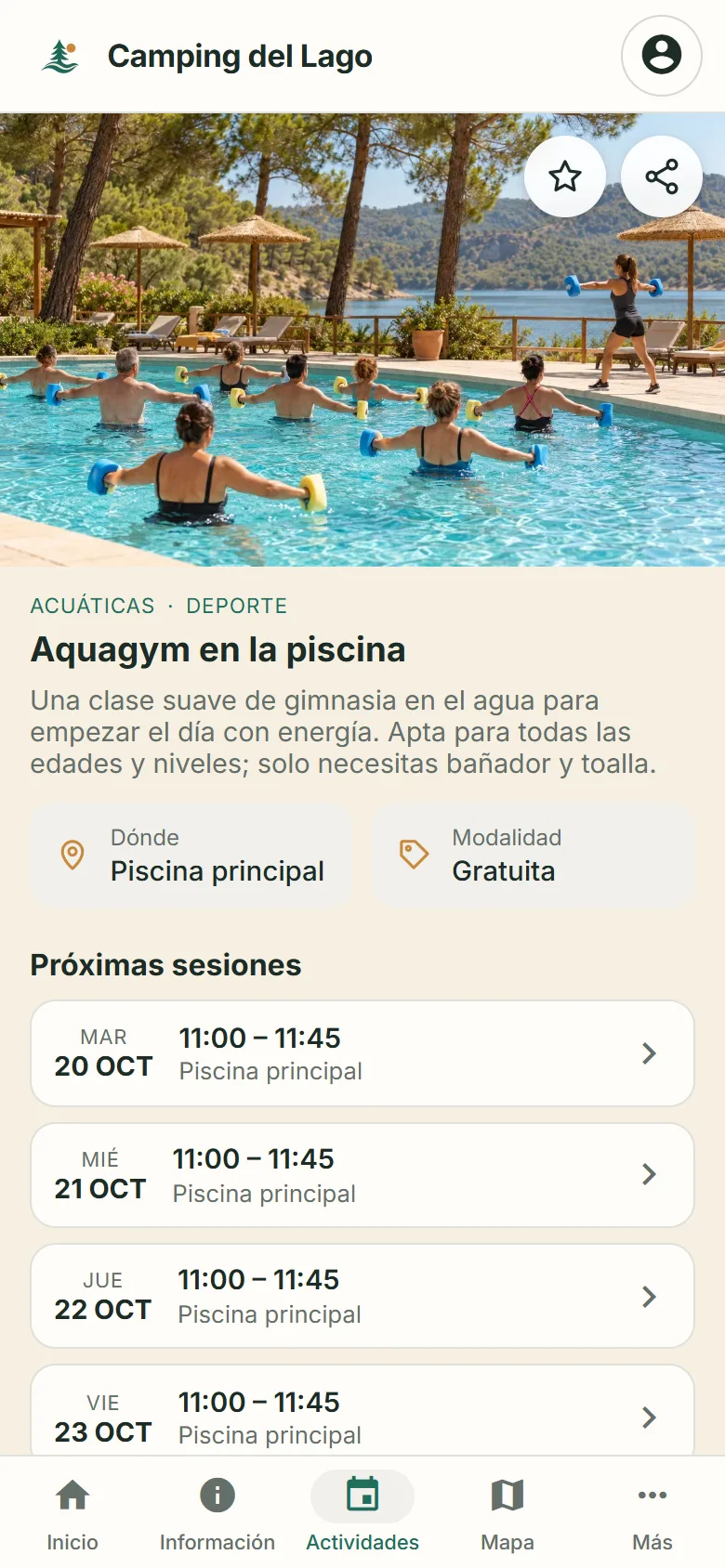
- They open an activity and see its description, where it takes place, whether it is free or paid, and its upcoming sessions.
- They pick a session and see how many places are left.
- They sign up: they log in, choose how many places they need and confirm. Viewing an activity books nothing; a sign-up is always confirmed.
- They find it later under “My activities”, with everything they have signed up for.
They can also save a session to their favourites or share it with the people they travel with, to plan the day together.
Free or paid?
Both. Each activity has its own type: free or paid. The campsite can mix plans open to everyone, such as the morning aquagym, with activities that have a cost, such as a guided route or a workshop, in the same programme.
For the guest, the difference is clear from the start: the type appears on the activity page, before signing up. If the session is paid, they know it has a cost that they will pay. No surprises at the desk.
For the campsite, each booking for a paid activity is linked to its charge, and the team knows which sign-ups have one.
And the team?
Guests’ sign-ups go straight to the dashboard. The team sees each session’s capacity and its booked and free places, records how many people attended and can link preparation tasks: getting the space ready, the equipment… No more copying the paper list out again.
Who is it for?
For campsites and resorts that run activities, few or many, free or paid, and want their guests to find them without going to reception.
It is part of the doit.camp Guest App for campsites, the same one where guests check the campsite information, the map and the rest of the services.
Frequently asked questions
Do guests have to install an app?
No. They open the Guest App in their phone’s browser, like any website. The programme can also be viewed on a computer.
Do guests need to log in to see the programme?
No. Anyone can browse the activities and their sessions. To book places, the guest logs in and confirms the sign-up.
Can there be free and paid activities at the same time?
Yes. Each activity shows whether it is free or paid, and the programme can combine both. Guests see it before signing up.
What happens when a session is full?
Each session has its own capacity. Guests see how many places are left before signing up, so nobody books a session without room.
Where do guests see what they have signed up for?
Under “My activities”, in their account, with their upcoming bookings and participations.
Shall we look at your programme?
Tell us which activities your campsite runs and we’ll show you how your guests would see them.
